LR008 - Export new JPG with bordersExport new JPG with Borders
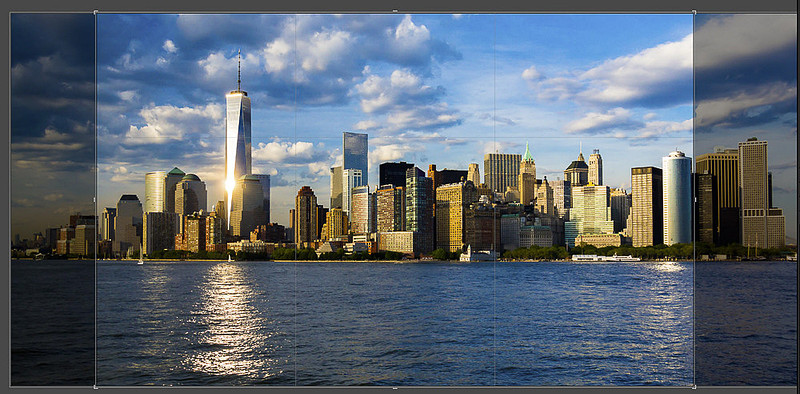
DOCUMENT CHANGE LOG V01 – 2018 Created V02 – 12/15/2025 (LrC/15) There are many situations where you want to export an image from Lr/Classic that has a background “canvas” showing around the image many times referred to as a ‘border’. One such situation is where you are using a print lab to print your image. In most of these cases the lab only supports a handful of paper sizes and if your image happens to not exactly fit one of these paper sizes the image is cropped to fit. In most cases you can move the crop rectangle in order to select what part of your image gets cropped off, but many of these print labs do not have an option to print the entire image and just leave white space on the edges if needed. In order to overcome this problem, your exported file should have the same aspect ratio (i.e., dimensions) that the lab expects for the paper size you will be choosing. However, to do this without cropping in many cases require extra white space on 2 sides of your image. For example, the image below is 5760 x 3840 pixels which does not match any standard paper size you’ll find at most print labs. If, say, I want to have this printed on 16x10 inch paper, I would be forced to crop off the sides of the image such as shown below
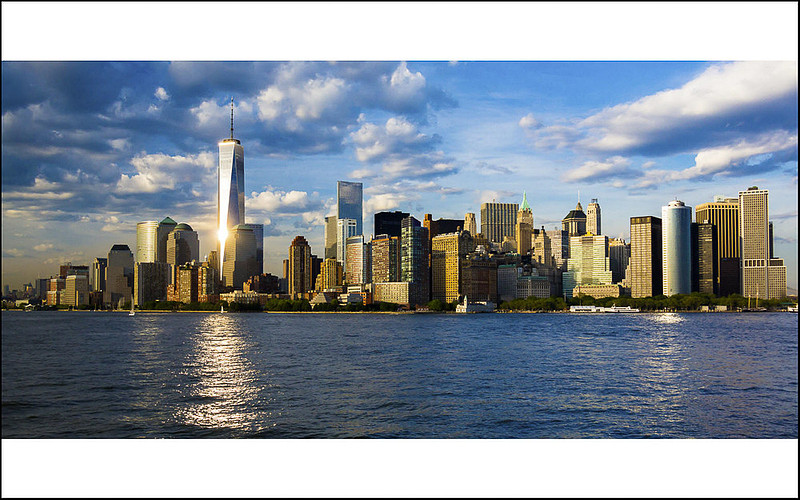
Instead, I’d like to print the whole image but with white space on the top and bottom which I can hide under a custome size mat as shown below
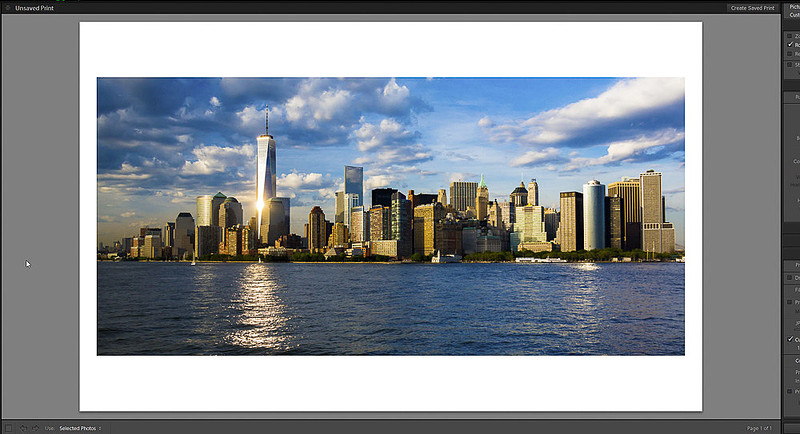
But, in order to do this, the file I give to the printing company must include that white space in the file as many don’t have a ‘fit” option in their online cropping tool. Here’s how to do it.
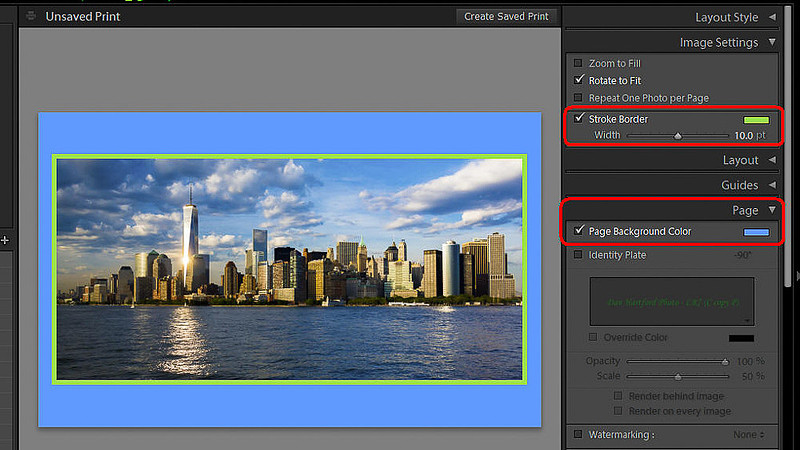
If you want some color other than white for the background canvas, use the color picker in the Page panel labeled “Page Background Color. If you want a colored border between the image and canvas, use the “Stroke Border” settings in the “Image Settings” panel where you can specify the width of the border as well as picking a color for it. For example, below I’m showing a blue canvas with a green 10pt border (not that I’d really do that)
Keywords:
add background to image exported from lr,
Add borders to images,
blog,
danlrblog,
Export with Borders,
lightroom,
lightroom classic,
lr,
lr classic,
LrC,
Print Module
Comments
No comments posted.
Loading...
|
Subscribe
RSS
Recent Posts
LR024b - LR/Classic & LR/Cloud KEYWORD Sync Behavior
LR031 - 15 Things New LrC Users Should Know
RT-66 Then and Now
LR030 – Cleaning Up Folder Mess
LR029b - Scanning Family Archive Film Based Images Part 2
LR029a - Scanning Family Archive Film Based Images Part 1
LR028 - Sharing LrC Collections on the web with feedback
LR027 - Clear LR Cloud and start over with syncing
LR026 - Fixing Sync Problems caused by switching the Sync Catalog
LR025 - LR/Classic (LrC) & LR/Cloud (Lr) Change Sync Catalog
Archive
January
February
March
April
May
June
July
August
September
October
November
December
|